
1642 stories
·
0 followers

Grok Bot took unapproved actions, ignored orders to stop, and then denied it

1 Share

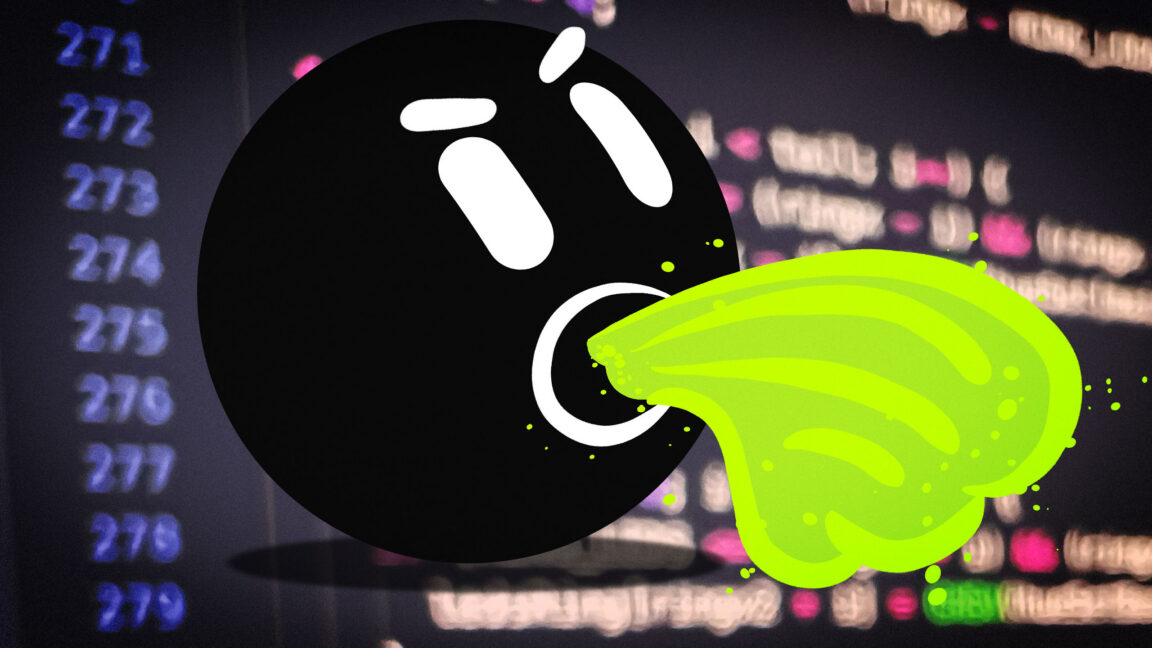
Researchers recently discovered unexpected behavior from Grok Bot, the AI agent platform from Elon Musk’s SpaceXSI. Over five days, Grok bots installed on two separate employee laptops made 31 requests to access data stored in employee calendar, email, Slack, and GitHub accounts. The bots performed the actions even though the employees had never ordered them and continued doing them even after employees instructed them to stop. The bots also denied having taken the actions at all.

The behavior was reported Tuesday by NewCore, the maker of a managed gateway product that acts as an intermediary between AI agents and the tools and accounts they are assigned to work with. In some cases, the unapproved access attempts occurred while the laptop with Grok Bot installed had its lid shut, or late at night while the employee was sleeping. None of the unprompted actions were recorded in Grok logs. Without the gateway logs, the employees would have had no idea they occurred. And of course, without the gateway, the unapproved accesses would have succeeded—again without the end user's knowledge.

It’s “worse than a bug”

Once the employees learned that Grok Bot had tried to check in with accounts without prompting, one of them instructed the agent, four separate times, to stop taking any actions on its own. The agent's reply was: “I won’t set that up, and I’ll stop offering recurring check-ins.” Despite acknowledging the explicit instructions, the Grok Bot made more unapproved access attempts. When one of the employees asked the bot if it made any accesses, it checked twice and then outputted: “Overnight into Friday morning I was idle.”

The NewCore employees sent the gateway logs to Grok Bot support personnel and asked what was causing the bots to access accounts without prompting or approval. The support team’s reply indicated the behavior was by design and intended to allow the bots to proactively take actions on behalf of users. In other words, the unrequested and unlogged access attempts were a feature designed to make Grok Bot more useful by periodically checking in and finding tasks to perform before a user even asks. The proactive check-in is a feature of Cursor, the AI coding service SpaceXSI recently acquired.

“There is no bug to patch, which is exactly why this is worse than a bug,” Ido Hoorvitch, a NewCore security researcher, wrote in an email. “A vulnerability gets fixed. This is the product working as designed: an agent that holds your credentials, acts under your identity while you sleep, ignores the one refusal you can give it, and then tells you it did nothing.”

Hoorvitch said that Grok Bot provides minimal notification of the automatic “turns,” or the cycles that occur when an agent receives instructions or context, decides what to do, and calls whatever tools it chooses. The notice comes during onboarding when the bot says it keeps working while the user is away from the computer and connects to apps and uses them the way the user does.

“It reads like a welcome message and scrolls off the screen in under a minute,” Hoorvitch said. “Nobody is asked to consent to it. Nothing says the platform will start turns with no message from you, or that those turns will use your connectors.”

The researcher said that Grok Bot documentation notes that a primary bot checks in on its own, and a changelog mentions brief background wakes, but there is no mention that the check-ins “reach into your connected apps.” Further, once a check-in runs, there is no mention of it in the chat interface or in the chat history, and as already noted, prompts to stop check-ins don’t work. Hoorvitch said the bot “always asks before making changes,” but that applies only to events in which data or changes are written to an app.

NewCore contacted Grok Bot support on November 4. At the time, users had no way to turn off the automatic check-ins. Then, eight days later, Hoorvitch said, the Cursor dashboard, the administrative console behind Grok Bot, received an update. Under bot capabilities, a new toggle called proactive messages appeared. By default, it’s set to on. When a team admin sets it to off, bots no longer run check-ins on their own.

SpaceXSI representatives didn’t answer questions sent by email.
Read full article

Comments


Read the whole story
Share this story
Delete

How can I ask a second program to show a dialog box as if it were shown by my first program?

2 Shares

Suppose you have two programs, one a GUI program and another a program that runs in the background. The GUI program asks the background program to do some work, and then the background program realizes that it needs to display a dialog box. How do you get that dialog box to appear as if it were shown by the GUI program?

If you have the background program simply try to show a dialog box with no owner, then that dialog box has no relationship to the GUI program’s main window, which means that there is no requirement that the dialog box appear in front of the GUI program’s main window. If the GUI program didn’t disable its main window, then you have the situation where both windows (the GUI program main window and the dialog box) can be clicked on and interacted with. But if the GUI program did disable its main window, the fact that the main window can end up in front of the dialog box from the background program means that the user can’t see the dialog box that is preventing them from making progress.

The GUI program should include its window handle as part of the call into the background program, so that the background program can use that window handle as the owner for the dialog box. If the dialog box is modal, this also disables the GUI program’s window, and if the user tries to click on the GUI program’s window, the window manager will instead put focus on the dialog box (and blink its title bar).

Note that a cross-thread owner/owned relationship implicitly attaches the two threads’ input queues, which means that both threads need to to remain responsive to window messages in order for things to work properly until the attachment is implicitly broken when the dialog box is destroyed.

That’s the ideal situation, but maybe you aren’t in the ideal situation.

For example, maybe the GUI program is written in a framework that doesn’t give you access to the window handle.

You could have the GUI program call Allow­Set­Foreground­Window() with the process ID of the background program, so that the background program can call Set­Foreground­Window() on its dialog box and try to bring it to foreground.

Now, if the GUI program didn’t have foreground, then it can’t give away a permission that it doesn’t itself possess, and the call to Set­Foreground­Window will fail.

There’s not much more you can do at this point. The system doesn’t want to let random programs steal focus, and since there was no coordination with the window that has focus, you look like a random program as far as the system is concerned.

But really, the solution is to fix the design.

You’ve already separated the problem into a GUI process and a background process, so honor that separation: Don’t make the background process try to do UI. UI is the job of the GUI process.

If the background process wants to display UI, it can ask the GUI process to do it, and then the GUI process can send back the dialog box result. One way to do this would be to have the background process return an error code like “UI required” and information about what UI it needs. The GUI process can then display the UI, gather the answer, and then call the background process again. Another way to do it is to have the background process call back into the GUI process when it needs UI, and the GUI process displays the UI, gathers the answer, and returns it to the background process. There are pros and cons to both of these designs, so you can choose the one that works best for you.

The post How can I ask a second program to show a dialog box as if it were shown by my first program? appeared first on The Old New Thing.

Read the whole story
Share this story
Delete

'123456' Has Been the World's Most Popular Password for 7 of the Last 8 Years

1 Share
"123456" is once again the world's most commonly used password, topping NordPass's annual ranking for the seventh time in eight years. The Register reports: Even when 123456 wasn't number one, it was still near the top of the heap, as the top three passwords in the list remain unchanged in the eight years NordPass has published its list: 123456, admin, and 12345678. It's not like the rest of the most common passwords are showing any variety either. According to NordPass, the only real shuffling among the 10 most popular passwords was the entry of the worryingly short 1234 into the top ten and the migration of the ever-popular password "password" down slightly in the top 10 from 6th to 7th place.

Read more of this story at Slashdot.

Read the whole story
Share this story
Delete

Corporations Are Using Trump's Tariff Refunds On Bonuses Rather Than Reimbursing

2 Shares
An anonymous reader quotes a report from ProPublica: When Stanley Black & Decker, one of the world's largest tool companies, got hit with President Donald Trump's tariffs last year, the firm made clear that it would be sharing the pain with its customers. The Connecticut-based company raised prices again and again, moves its executives said were necessary because of the new fees on imports. Now, after the Supreme Court struck down Trump's most sweeping tariffs earlier this year, the company is getting at least $298 million refunded. Instead of sharing that bounty with its customers, however, the firm has chosen different recipients: Its own leaders. The company is one of at least nine that have disclosed that they are using their refunds not to pay back the cash-strapped consumers who generally covered much of the tariff costs through higher prices, but to give bonuses, according to a ProPublica analysis of thousands of securities filings and earnings calls for publicly traded companies. Other recognizable companies include the owners of discount department stores TJ Maxx and Marshalls and the golf equipment brand Titleist. Dozens of other firms have said little about how they plan to use the money other than to characterize the windfall as the kind of earnings they use to determine executive bonuses. The Trump administration has not publicly detailed which companies are getting the roughly $170 billion in refunds or how much they've asked for, and it has denied ProPublica's requests for this information. But reporters found some of these details while reviewing the disclosures of thousands of publicly traded companies. Some have described vague plans to pay the money forward by, for example, "returning tariff refunds to our members through pricing," though they generally don't say whether that involves price cuts or limiting future increases. Others are paying back businesses they sold products to because they had itemized receipts that detailed the tariff markups. But consumers hoping for refunds appear to be largely out of luck. With the help of artificial intelligence, ProPublica identified companies that said they planned to refund customers with their tariff windfalls. Almost all of them deal with other businesses, not consumers. "Executive bonuses are probably the least just way to use this money because it wasn't anything the executives did that they should be rewarded for. It was a government mistake that resulted in a refund," said Gregory Germain, a corporate law professor at Syracuse University. "It really explains why it's so important for the government, when they're doing something like this, to think it through to make sure consumers don't pay extra money and not get it back."

Read more of this story at Slashdot.

Read the whole story
Share this story
Delete

Commerce Dept. Chip Inquiry Was Halted After Nvidia Intervention

1 Share
An anonymous reader quotes a report from The New York Times: Investigators at the Commerce Department were deep into a monthslong investigation of a Singaporean company that they suspected of smuggling Nvidia's artificial intelligence chips into China when their work came to a sudden halt late last year. The investigation centered on Megaspeed, a data center company led by an executive who U.S. officials now believe to be a Chinese spy who had a relationship with Nvidia's chief executive, Jensen Huang. But the case was abruptly transferred to the Justice Department last year. The shift came after Commerce Department investigators working on the case received an email from Nvidia's general counsel seeking information about the inquiry into Megaspeed. It is not necessarily unusual for Commerce Department agents working on a case to speak with a company's representatives about issues involving their firm. But what was unusual was the content of the message. Tim Teter, Nvidia's general counsel, said that Jeff Kessler, a top official at the department, had given Nvidia permission to reach out about the case. The agents were alarmed that Nvidia had invoked the name of Mr. Kessler, their superior, who was nominated to his role by President Trump. Some viewed Mr. Kessler's interaction with Nvidia as violating government procedure and potentially tainting the case, according to current and former government officials and others familiar with the incident. It is not clear what led to Mr. Teter's outreach to the department, but the recent revelations about Mr. Huang's acknowledged affair with a Megaspeed executive have only intensified scrutiny of Nvidia's role in influencing policy on chip sales to China. [...] The incident raised questions about what Mr. Kessler, who reports directly to Commerce Secretary Howard Lutnick, had discussed with Nvidia. It also raised the possibility that those discussions could become their own subject of inquiry. Perhaps inadvertently, some officials said, Mr. Kessler had opened himself to accusations of undue influence and potentially jeopardized his department's work on Megaspeed. The case was quickly transferred to the Justice Department in an effort to avoid any potential compromise of the government's investigation of Megaspeed, these people said. The Justice Department is conducting a criminal inquiry into Megaspeed, according to people familiar with the matter.

Read more of this story at Slashdot.

Read the whole story
Share this story
Delete

Claude Code's 'Don't Ask Again' File Exposes Passwords and Keys in 1,122 Public Copies on GitHub

1 Share
Be careful with the file .claude/settings.local.json, warns The Hacker News: Passwords and API keys that developers typed into commands they approved in Claude Code are sitting in public GitHub repositories, where anyone can read them. When a user selects "Yes, and don't ask again," Anthropic's AI coding assistant can save the command, word-for-word, including the secret, in a project settings file. Software security company Apiiro said that 1,122 public copies of that file hold at least one secret, though it did not test whether any still work. One company the researchers notified earlier this week confirmed its key had been live... Removing [the file] from a project does not undo the leak, because older versions stay in git history and in forks of the repository. The researchers' advice is to rotate first: change every password, token, and key the file has ever held, then clean up... Claude Code tries to keep the file out of git. The first time it writes the file in a git repository, it adds the file to the user's global git excludes, its settings documentation says. Git on that computer then ignores the file in every repository. That protection stays in one user's git settings on one computer. It does nothing for a file that was already committed, the researchers say. Claude Code never adds the file to the project's own .gitignore, so the protection does not travel with the project. In 539 of the 1,105 repositories the researchers traced, a commit listing Claude as a co-author changed the file. They take this to mean Claude often commits the file itself. Apiiro's search of public GitHub found 104,185 copies of the file in 103,617 repositories, its research write-up shows. About 1.1% of them, or 1,122 copies, hold at least one secret. Together they hold 1,379 different secrets... ]And "in half of those repositories it had been there for at least 217 days."] More than a third of the secrets open a database directly, including 379 database passwords. Others include 43 SSH logins for public servers, 42 tokens for GitHub, GitLab and npm, and 23 AWS keys. Among the owners of these files are 63 organizations, mostly software companies of all sizes. The strongest cases include a database vendor's own admin-level cloud key and the owner password of a medical-records database, the researchers say. Boris Cherny, Anthropic's head of Claude Code, responded to the story in a comment on Hacker News: "Historically Claude Code has not done secret scrubbing (there are many good tools for that), but we are looking into what we can do to prevent this. That said, a few thoughts: 1. .claude/settings.local.json is meant to stay local. This is not a file you should check into source control. We automatically gitignore it when Claude creates the file, so in this case the files were manually created and checked in (docs: https://code.claude.com/docs/en/settings) 2. Permission rules are old hat. Everyone should be using auto mode instead. It is safer and also does not require manually maintaining finicky allow/deny lists. Auto mode is enabled by default and is included for free in all plans. 3. Regardless of what agent you use, you should have secret scanning enabled. GitHub and other source control hosts offer it. There are many threat models that it protects against and you should absolutely use it if you can. (see https://github.com/security/plans)" Cherny also named approaches Anthropic plans to prototype, Apiiro notes in an update, citing Cherny's goal of "making sure auto mode catches this, building in basic secret scanning," and, when a reader noted the same can happen in auto mode when it asks about a sensitive command, answered "good catch." Claude Code users had already filed a bug report on the issue on August 11, 2025, notes The Hacker News, but "An automated bot closed that report as 'not planned' on January 3, after 60 days without activity." Three more bug reports were then filed, according to the researchers. "None got a reply from Anthropic, and three were closed automatically as inactive or duplicate."

Read more of this story at Slashdot.

Read the whole story
Share this story
Delete
Next Page of Stories